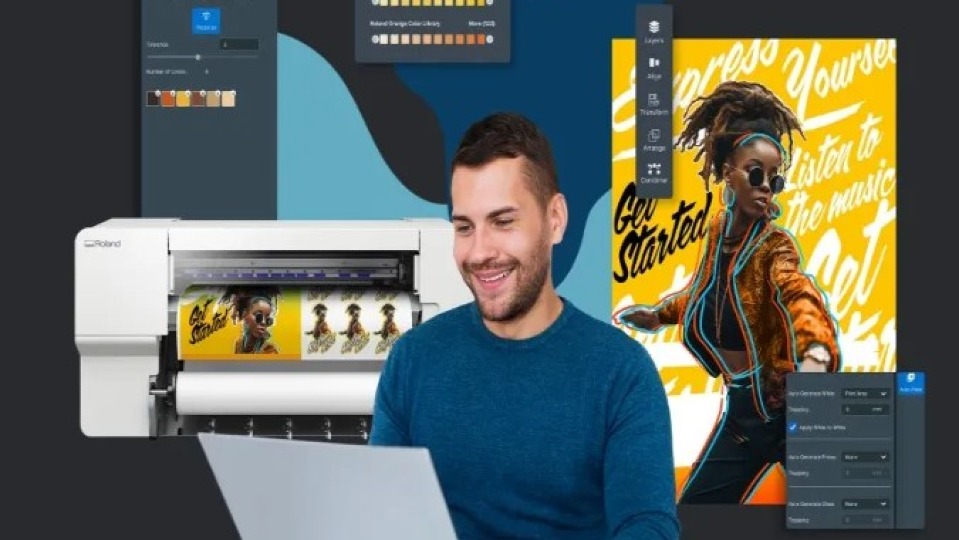
Roland DG Corporation announced the expansion of its cloud-based Roland DG Connect Designer software with the introduction of the Visual Communication Module. Available globally as a subscription, the new module builds on the platform launched in June 2025, which was designed to simplify graphic creation and production for users of all skill levels. The update enhances print-and-cut workflows and allows designs to be sent directly to Roland DG printers, printer cutters, and cutting devices.
A central feature of the Visual Communication Module is image vectorisation, which automatically separates images by colour based on tolerance values. This enables users to select, edit, and process specific colour groups in bulk, significantly reducing file preparation time for applications such as labels, stickers, apparel, and signage. The module also adds SVG editing capabilities, displaying lines and filled areas on separate layers so users can easily adjust shapes, colours, and patterns while maintaining resolution independence across different output sizes.
The new module also introduces background removal with a single click, allowing users to quickly isolate foreground elements without third-party design software. Cutting functionality has been expanded to include perforated cuts, enabling more advanced print-and-cut applications. According to Roland DG, these tools are designed to give entry-level and small-business users access to capabilities typically found in professional design software, but through a more straightforward, more intuitive interface.
Roland DG Connect Designer integrates directly with VersaWorks 7, Roland DG’s latest RIP software, enabling automated print settings to be generated during the design stage. Ryugo Nimura, executive officer at Roland DG Corporation, said the Visual Communication Module reflects the company’s long-standing focus on making creativity more accessible, helping users move seamlessly from design to production without complex setup or workflow disruption.

Proofed (Human)

Listen to This Article

Loading...

Login
New User? Signup
Reset Password
Signup
Existing User? Login here
Login here
Reset Password
Please enter your registered email address. You will recieve a link to reset your password via email.
New User? Signup
Currency Exchange Graph